






Substack Boost sells subscriptions, it doesn't spread posts
Substack Boost is a set of automatic offers for publications that charge. A free newsletter never sees it.
- Offers at chosen moments: a free trial, a discount or a gift subscription shown to a reader who might convert.
- Upsell email: a small share of active free subscribers get a message each day, by default with 20% off for a year. You can rewrite it.
- Discount on other publications: a reader who just paid for one publication with Substack Boost is offered others at up to 20% off, yours included.
- Offer before cancelling: a paid subscriber who starts to leave is offered a free month.
- Teaser posts: eligible free subscribers read one paid post free in the app.
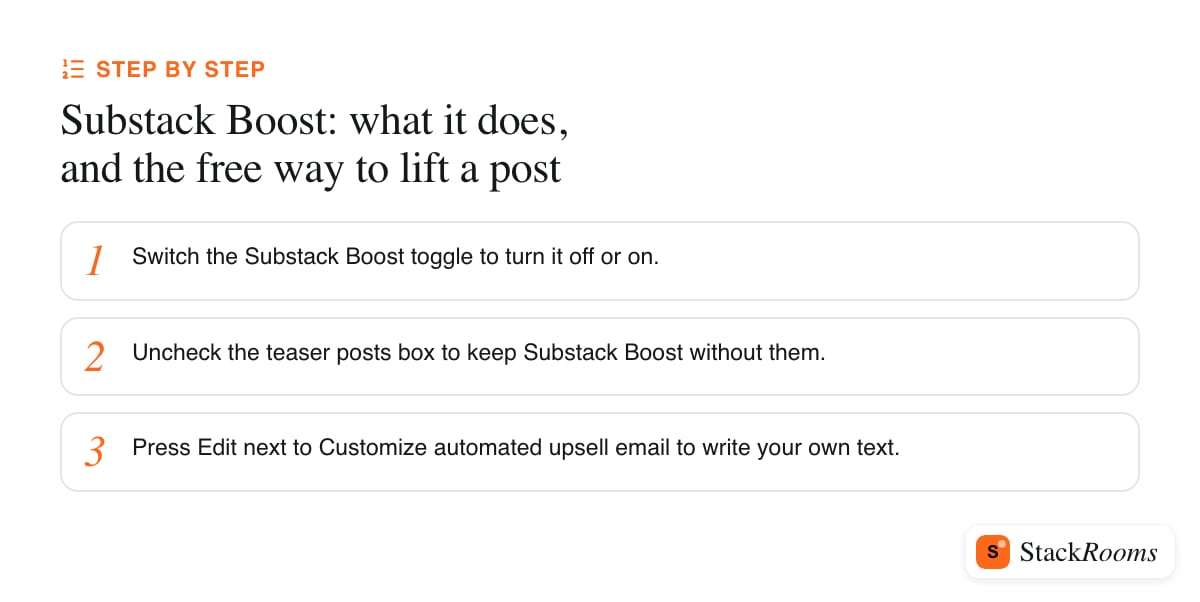
To adjust it, open your publication's Settings and go to Growth.
- Switch the Substack Boost toggle to turn it off or on.
- Uncheck the teaser posts box to keep Substack Boost without them.
- Press Edit next to Customize automated upsell email to write your own text.
Each discount lowers what that subscriber pays you. Try your numbers in the Substack revenue calculator first.
Keep it if you would rather write than run promotions
Leaving Substack Boost on trades part of your price for more paying readers, with Substack choosing the timing. It suits a larger list. A small, personal list that has never seen a discount email may prefer it off or rewritten in your own voice.
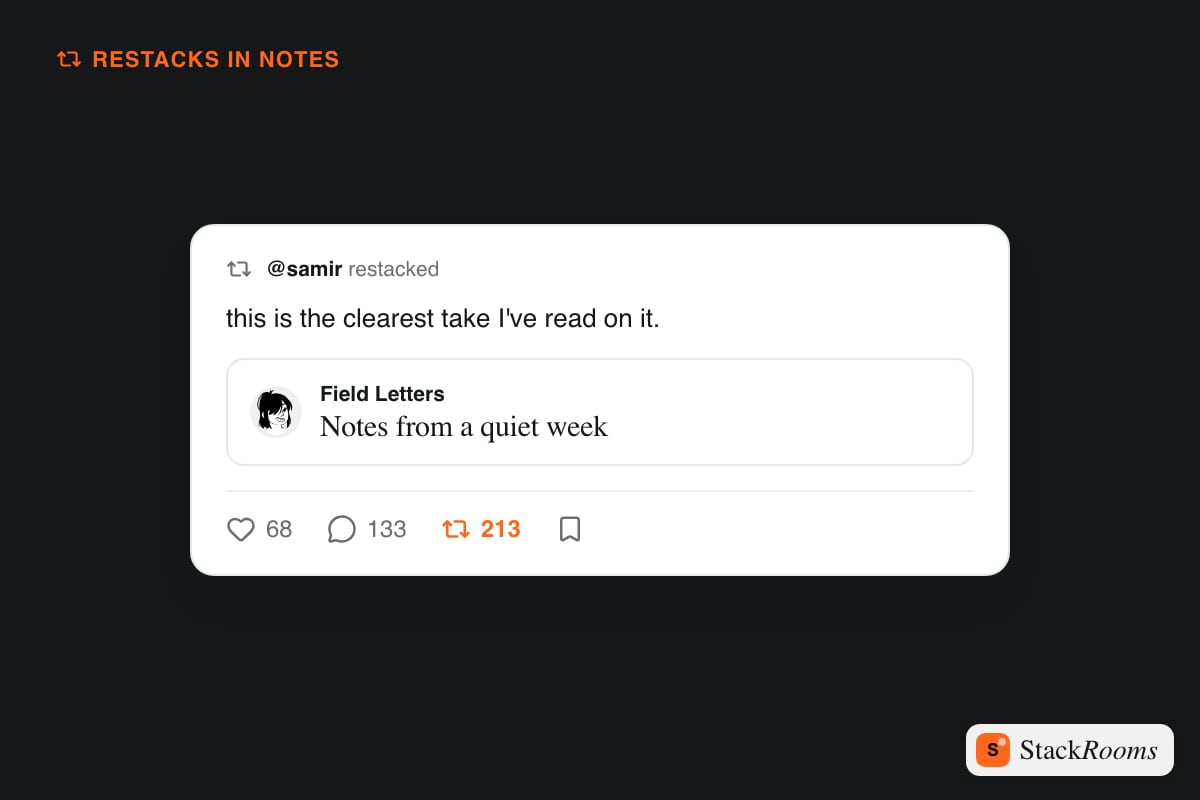
Writers lift each other's posts in rooms that cost nothing to join
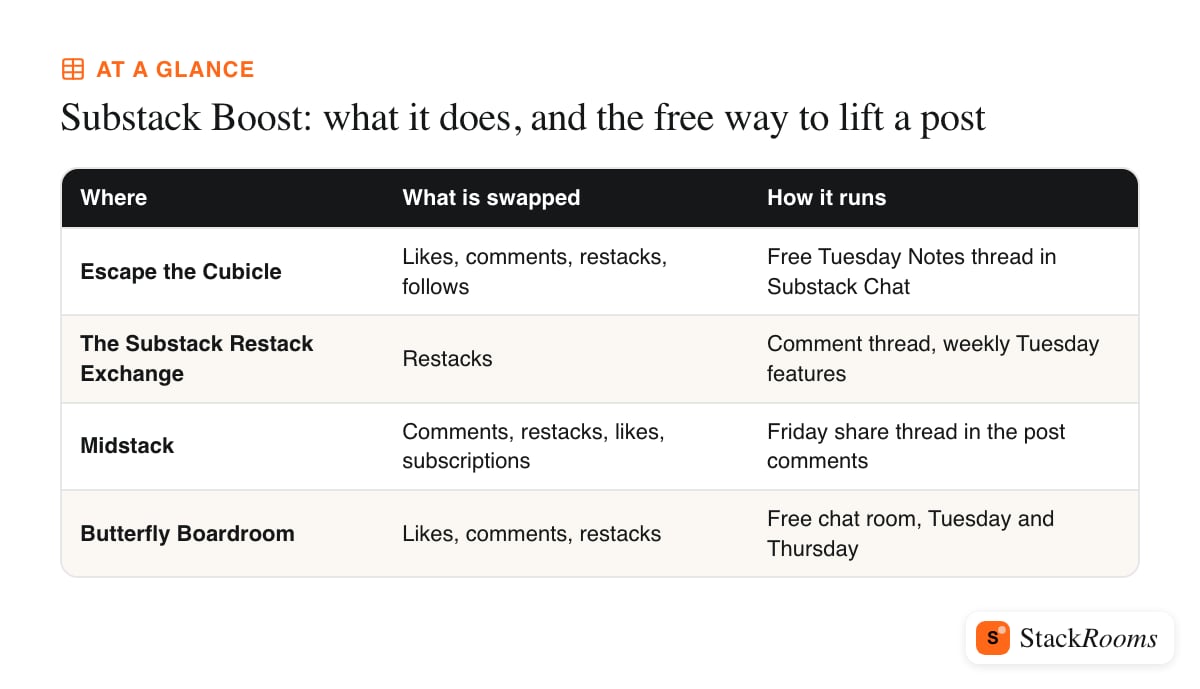
These threads and rooms spread posts through writers who read them.
| Where | What is swapped | How it runs |
|---|---|---|
| Escape the Cubicle | Likes, comments, restacks, follows | Free Tuesday Notes thread in Substack Chat |
| The Substack Restack Exchange | Restacks | Comment thread, weekly Tuesday features |
| Midstack | Comments, restacks, likes, subscriptions | Friday share thread in the post comments |
| Butterfly Boardroom | Likes, comments, restacks | Free chat room, Tuesday and Thursday |
StackRooms gives you this kind of lift at no cost, from verified writers who react personally.
A post spreads when real people react to it early
If you came to get a post seen, the lift comes from likes, restacks, comments and saves in the first hour. Four ways to collect them:
- Restack your own post with its strongest line as a quote inside a new Note.
- Join a weekly share thread. Substack engagement pods covers where they run.
- Ask a few writers in your field and return the favor, as in a Substack restack exchange.
- Ask here. Free restacks, likes, comments and saves come from verified accounts of real writers, pressed by hand, with no Substack password. See free Substack restacks.
The wider plan, from Notes to recommendations, sits in how to promote your Substack.